Glossary
MIDI (Musical Instrument Digital Interface)
MIDI is a technical standard that provides a communication protocol, digital interface, and connectors for various electronic musical instruments, computers, and related hardware. It allows devices to exchange performance data, such as note pitch and velocity, rather than transmitting actual audio signals.
Definition and Core Principles
MIDI is a digital language used by musical instruments to communicate with one another. Unlike an audio cable, which carries an electrical representation of sound, a MIDI cable carries instructions. These instructions—known as messages—tell a receiving device which notes to play, how hard to play them, and when to stop. This separation of 'performance data' from 'sound generation' allows a single controller to trigger sounds from multiple different sources simultaneously or sequentially.
How MIDI Works
The system operates on 16 independent channels per connection. Each channel can be assigned to a different instrument or sound patch. When a key is pressed on a MIDI-capable keyboard, the device generates a 'Note On' message containing the note number (pitch) and a velocity value (typically 0-127). Further data can include Continuous Controller (CC) messages for parameters like volume, modulation, and sustain pedal position. This data is transmitted in a serial stream, allowing computers and sequencers to record and manipulate the performance with mathematical precision.
Hardware and Connectivity
Traditionally, MIDI utilized 5-pin DIN connectors labelled In, Out, and Thru. 'MIDI In' receives data, 'MIDI Out' transmits data generated by the device, and 'MIDI Thru' passes a copy of the 'MIDI In' data to subsequent devices in a daisy-chain. Modern gear frequently uses USB-MIDI, which allows for bi-directional communication over a single cable and integrates directly with Digital Audio Workstations (DAWs). Smaller portable devices may use 3.5mm TRS jacks for MIDI, requiring adapters to connect to standard 5-pin equipment.
The Role of MIDI in the Studio
In a recording environment, MIDI provides unparalleled flexibility. A musician can record a performance into a DAW as MIDI data rather than audio. Because the data is stored as a series of commands, the user can change the tempo without affecting pitch, correct timing errors (quantisation), or change the entire sound of the instrument (e.g., swapping a piano for a synthesiser) after the performance has been captured. It also serves as a synchronisation tool, keeping drum machines, sequencers, and effect units in perfect time with a master clock.
Buying Considerations
When purchasing MIDI gear, users should consider the type of connectivity required for their setup. While USB-MIDI is standard for computer-based studios, hardware-only setups will require devices with traditional 5-pin DIN ports. 'Class Compliant' devices are highly desirable as they do not require specific driver installations on modern operating systems. Additionally, users should check for features like 'Aftertouch' on keyboards or the presence of assignable faders and knobs, which expand the range of MIDI messages the device can transmit.
Frequently asked questions
- Does MIDI carry audio?
- No, MIDI does not transmit sound. It only transmits digital instructions such as pitch, volume, and timing data, which a sound-generating device must interpret to create audio.
- What is MIDI velocity?
- Velocity indicates how quickly or forcefully a key was struck. In the MIDI standard, it is expressed as a value between 0 and 127, typically affecting the volume or timbre of the sound.
- What is the difference between MIDI In, Out, and Thru?
- MIDI In receives data from other devices. MIDI Out sends data generated by the device itself. MIDI Thru passes an exact copy of the data coming into the MIDI In port to allow for daisy-chaining multiple instruments.
- What is a MIDI Controller?
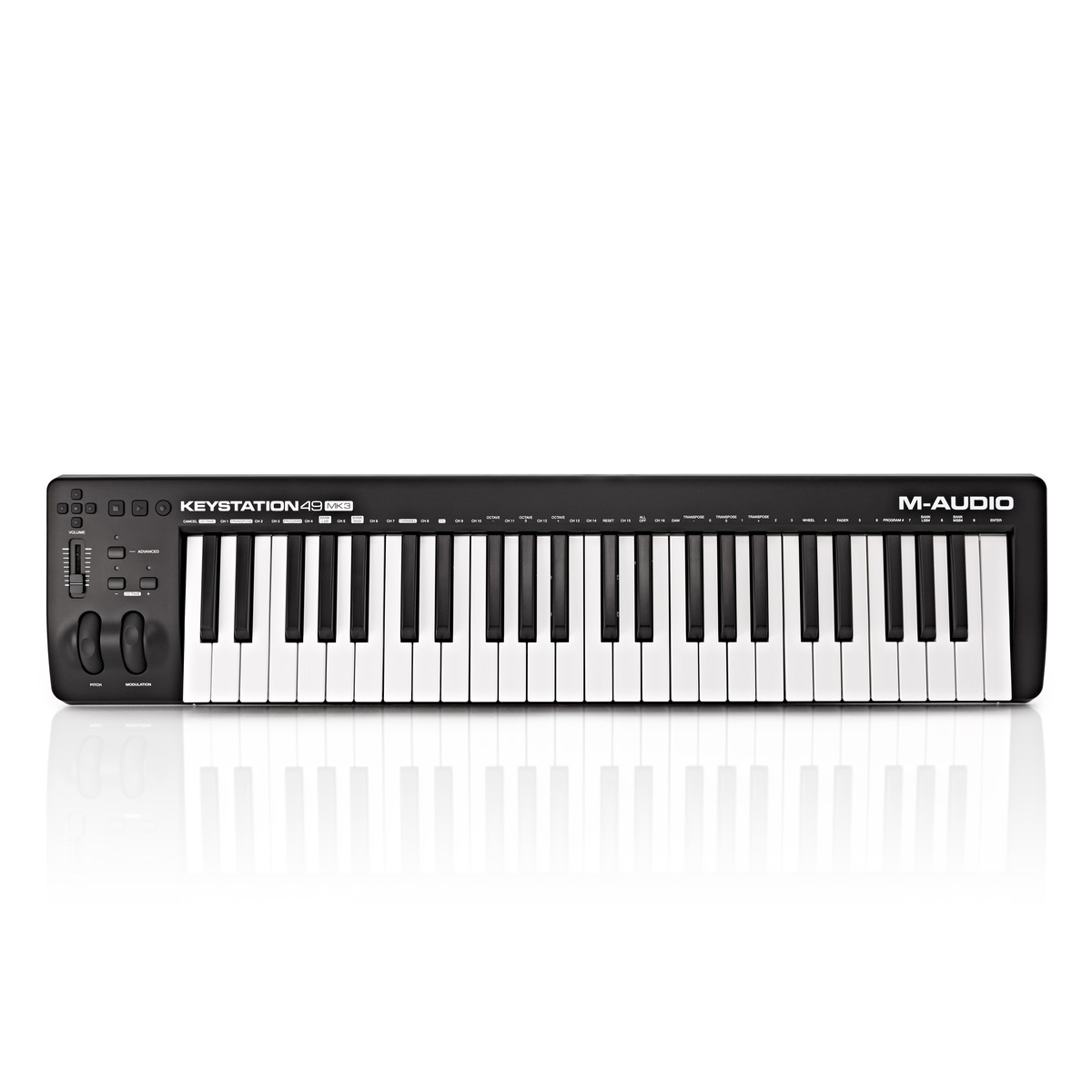
- A MIDI controller is a device (like a keyboard, pad, or foot-switch) that generates and transmits MIDI data to other devices. Controllers often do not have internal sound engines themselves.
- How many channels does MIDI support?
- A single MIDI connection supports 16 independent channels. This allows one cable to carry 16 different sets of performance data for 16 different instruments.
- What is Quantisation?
- Quantisation is a process in MIDI sequencing where recorded notes are automatically snapped to a rhythmic grid. This corrects timing errors and ensures the performance is perfectly in sync with the tempo.
- Can I use MIDI with a tablet or smartphone?
- Yes, mobile devices support MIDI. This often requires a 'Camera Connection Kit' or an OTG adapter to convert the device's port to a standard USB-A connection for a MIDI controller.
- What is a General MIDI (GM) standard?
- General MIDI is an extension of the MIDI standard that ensures consistent playback across different hardware. It specifies a standardised list of 128 instrument sounds and drum kit mappings.
- What is MIDI 2.0?
- MIDI 2.0 is an updated version of the protocol released in 2020. it provides bi-directional communication, higher resolution for controllers, and backward compatibility with the original MIDI 1.0.
- Is MIDI latency a problem?
- Latency is the delay between a command and the resulting sound. While MIDI data itself is very small and fast, latency can occur depending on the computer's processing speed and audio interface drivers.
- What does 'Class Compliant' mean?
- A 'Class Compliant' MIDI device follows standard USB protocols and works immediately upon being plugged into a computer or mobile device without needing specific manufacturer drivers.
- What are MIDI CC messages?
- Continuous Controller (CC) messages are used to adjust parameters in real-time, such as volume (CC7), pan (CC10), and modulation (CC1). There are 128 possible CC numbers.